Benefit enrollment reference
What Is an EDI 834 Enrollment File?
Understand how an 834 communicates member and coverage maintenance, how its records are organized, and what a file does—and does not—prove.
An EDI 834 is an X12 Benefit Enrollment and Maintenance transaction used to exchange member enrollment and coverage changes among plan sponsors, benefits administrators, government programs, health plans, and other authorized partners. In 005010X220A1, organizational context precedes member records; INS identifies member and maintenance context, while repeating HD occurrences describe health coverage. An 834 communicates requested maintenance, but a structurally valid file does not prove the receiver accepted or applied it.
Where the EDI 834 fits in enrollment
A plan sponsor, employer, benefits administrator, marketplace, government program, or another authorized enrollment source can send an 834 to a health plan or its administrator. The file can communicate additions, changes, reinstatements, terminations, and other member or coverage maintenance according to the implementation and trading-partner agreement.
The transaction can contain a single member or a batch. It identifies the sponsor and payer, then carries member identity, relationship, maintenance, dates, coverage, and applicable supplemental information. Operational teams often reconcile the file with source enrollment systems and acknowledgments or reports returned by the receiver.
Important distinction: an 834 is enrollment maintenance, not an eligibility inquiry, claim, or remittance. A sent action is not proof that coverage is currently active or that a receiving system successfully applied the change.
How an 834 enrollment file is organized
| Scope | Common context | Purpose |
|---|---|---|
| Transaction | ST, BGN, REF, DTP, QTY | Identifies the implementation, transaction reference, creation time, dates, references, and counts. |
| Organizations | N1, ACT, identifiers and contacts | Identifies sponsor, payer, broker, or other applicable parties. |
| Member | INS, REF, NM1, PER, N3/N4, DMG | Describes subscriber/dependent relationship, maintenance, identity, addresses, demographics, and member identifiers. |
| Coverage | HD, DTP, AMT, REF, IDC | Describes each insurance line, plan, coverage level, dates, amounts, references, and identification-card information. |
| Supplemental | Provider, coordination-of-benefits, reporting-category, employment or disability loops | Adds context when applicable to the member and trading-partner workflow. |
Because INS and HD can repeat, a flat row count is not automatically a member count. One member may have medical, dental, and vision coverage rows. Preserve Member Number, Coverage Number, maintenance codes, identifiers, and occurrence numbers during conversion or analysis.
INS member maintenance and HD coverage
INS begins member-level context. Its elements can identify whether the person is the subscriber, the relationship to the subscriber, maintenance type and reason, benefit status, employment status, and other member-level attributes. Read these values with the member identifiers and effective dates; do not infer intent from one code alone.
HD begins a coverage occurrence. It can carry a coverage-maintenance type, insurance line, plan description, and coverage level. Dates, amounts, references, and card details that follow must remain attached to the correct HD occurrence. When a member has multiple coverages, treating the last HD as a replacement for earlier occurrences can erase valid medical, dental, or vision information.
| Question | Fields to retain | Risk |
|---|---|---|
| Who is changing? | Subscriber indicator, relationship, member ID, group/policy references, name | A dependent is treated as a subscriber or matched to the wrong family. |
| What action is requested? | Member and coverage maintenance types, reasons, benefit status | An add, change, termination, or reinstatement is mislabeled. |
| When does it apply? | DTP qualifier, date format, value or range, member/coverage owner | A transaction, member, or coverage date is used for the wrong purpose. |
| Which coverage? | Coverage occurrence, insurance line, plan, level, dates, amounts, references | Several coverage elections are incorrectly collapsed into one. |
Synthetic EDI 834 example
This fictional excerpt is derived from a parsed repository fixture and contains no real protected health information:
ST*834*0001*005010X220A1~
BGN*00*REF0001*20260727*1200~
N1*P5*TEST SPONSOR*FI*001234567~
N1*IN*TEST PAYER*NI*00001~
INS*Y*18*021**A***FT~
REF*0F*00001234~
NM1*IL*1*MEMBER00001234*TEST****MI*00001234~
DMG*D8*19800101*M~
HD*021**HLT*TEST PLAN*EMP~
DTP*348*D8*20260801~
AMT*P3*00125.50~
SE*12*0001~
ST identifies the 834 and 005010X220A1. BGN supplies the transaction reference and creation time. N1 identifies the fictional sponsor and payer. INS starts subscriber maintenance context, REF and NM1 preserve the leading-zero member identifier, and DMG supplies fictional demographics. HD identifies a health-coverage occurrence, while DTP and AMT add qualified coverage context. SE reports 12 segments and repeats control 0001.
EDI 834 compared with nearby transactions
| Transaction | Role | Does not establish |
|---|---|---|
| 834 | Communicates benefit enrollment and maintenance. | That the receiver applied the action or that coverage is currently active. |
| 270 | Requests eligibility and benefit information. | The answer to the inquiry. |
| 271 | Returns eligibility, benefit, or request-rejection information. | That a future claim will be authorized or paid. |
| 837 | Submits healthcare claims. | Enrollment maintenance or claim payment. |
How to review an 834 in EDIFileConverter.com
- Open the EDI workspace and add an authorized 834 with Browse files or drag and drop.
- Keep Smart mapping (per file) selected and confirm 005010X220A1.
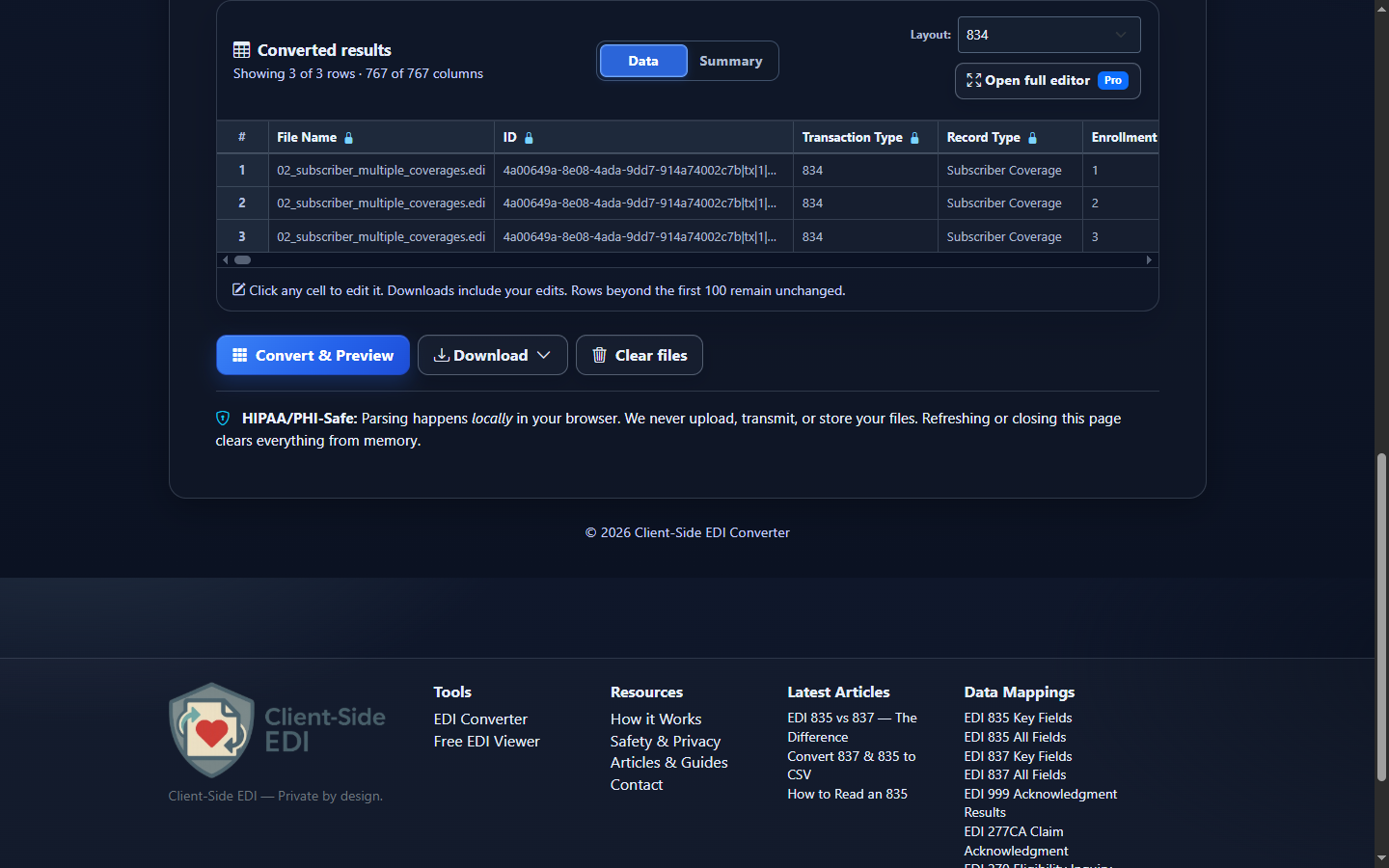
- Select Convert & Preview to inspect transaction, organization, member, maintenance, coverage, date, and identifier fields.
- Select Open full editor for filters, sorting, column controls, saved layouts, and occurrence-level review.
- Open Validation Results for supported structural, required-data, date, code, and consistency checks.
- Select Analysis to summarize members, maintenance actions, coverage types, dates, identifiers, and detail records.
- Use Download for Excel, CSV, JSON, or XML after retaining member and coverage occurrence context.
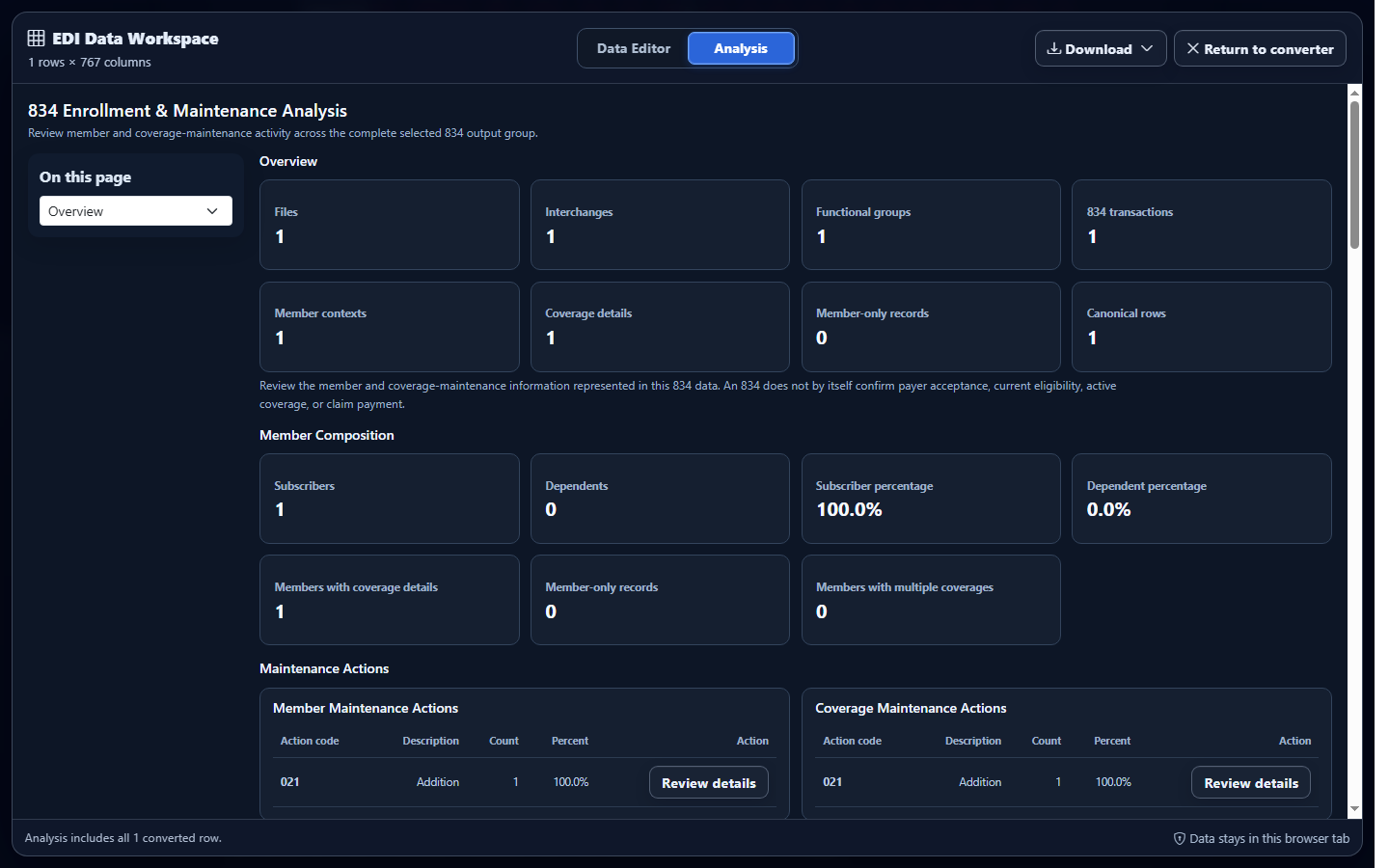
Product limitation: editing converted rows does not rewrite the uploaded source EDI. Validation does not guarantee that a trading partner accepted or applied enrollment.
Common 834 interpretation mistakes
Counting coverage rows as members
One member can own multiple HD occurrences. Count stable member identifiers, then analyze coverage occurrences separately.
Reading a maintenance code alone
Member and coverage actions require reason, status, dates, relationship, and occurrence context. Avoid assigning a business label from one isolated value.
Dropping leading zeros
Member, group, policy, account, and control values are identifiers. Spreadsheet numeric conversion can prevent reconciliation.
Detaching dates from qualifiers
DTP03 has no reliable business meaning without DTP01, DTP02, and its member or coverage owner.
Assuming valid means enrolled
A file can pass enabled checks while a receiver applies companion-guide or business rules. Confirm downstream acceptance through the applicable trading-partner process.
Frequently asked questions
What is an EDI 834?
It is the X12 transaction used to communicate benefit enrollment and maintenance between authorized organizations.
What does INS mean?
INS begins member context and carries subscriber, relationship, maintenance, and benefit-status information.
What does HD mean?
HD begins a coverage occurrence and identifies maintenance, insurance line, plan, and coverage-level context.
Can a member have multiple HD segments?
Yes. Medical, dental, vision, and other coverage occurrences must remain distinct.
Does validation prove enrollment was accepted?
No. It checks enabled rules, not receiver acceptance or application of the requested action.