Benefit enrollment conversion guide
How to Convert EDI 834 to CSV, Excel, JSON, or XML
Turn enrollment maintenance into reviewable rows while keeping each coverage tied to the correct member, action, plan, dates, and identifiers.
To convert an EDI 834 to CSV, Excel, JSON, or XML, open the EDI converter, add the 005010X220A1 file, leave Smart mapping (per file) selected, and choose Convert & Preview. Review the member and coverage rows in Converted results, then open Download and select Excel, CSV, JSON, or XML. The mapped output labels INS member maintenance, NM1 identity, and HD coverage values while carrying the correct transaction and member context onto each row.
What a converted EDI 834 represents
An EDI 834 is the Benefit Enrollment and Maintenance transaction. Employers, benefit sponsors, third-party administrators, exchanges, brokers, and health plans use it to communicate member adds, changes, reinstatements, and terminations. It can contain sponsor and payer identifiers, subscriber or dependent demographics, maintenance codes, policy identifiers, coverage elections, effective dates, plan descriptions, providers, coordination of benefits (COB), and reporting categories.
The current mapper recognizes an ST01=834 transaction when ST03 is exactly 005010X220A1, or when ST03 is blank and the enclosing GS08 is exactly 005010X220A1. Other versions are outside this Smart Mapping support boundary and should be inspected in Raw segments mode. Its canonical grain is one row for each HD health-coverage detail. Member and transaction values are repeated on every applicable coverage row. If a member loop contains no HD segment, the mapper emits one member-only fallback row with Has Coverage Detail = No so a maintenance record is not silently lost.
This is different from flattening every segment into a separate line. Three HD segments for medical, dental, and vision become three coverage rows for one member—not three members. The current 767-column All Fields layout represents recognized DTP, REF, AMT, IDC, provider, COB, disability, and reporting-category subsets while retaining ownership. It is not an exhaustive X12 hierarchy, and there is no separate 834 Key Fields schema.
From INS and HD segments to coverage rows
This shortened, fictional extract is based on a repository parser fixture. The member, identifiers, contact data, address, and dates are synthetic; leading zeroes are intentional.
ST*834*0001*005010X220A1~
BGN*00*REF0001*20260727*1200~
INS*Y*18*021**A***FT~
REF*0F*00001234~
NM1*IL*1*MEMBER00001234*TEST****MI*00001234~
DTP*303*D8*20260801~
HD*021**HLT*MEDICAL*EMP~
DTP*348*D8*20260801~
AMT*P3*00125.50~
HD*021**DEN*DENTAL*EMP~
DTP*348*D8*20260801~
SE*12*0001~
INS01 says whether this person is the subscriber; INS02 gives the relationship code; and INS03 carries the member maintenance type. REF*0F supplies the subscriber identifier in this loop. Each HD begins a distinct coverage: HD01 is the coverage maintenance type, HD03 identifies the insurance line, HD04 describes the plan, and HD05 gives coverage level. The DTP*348 date belongs to its HD coverage, and AMT*P3 is a coverage-level premium amount in this synthetic example.
| Output field | Medical row | Dental row |
|---|---|---|
| Member ID | 00001234 | 00001234 |
| Member Maintenance Type Code | 021 | 021 |
| Coverage Number | 1 | 2 |
| Insurance Line Code | HLT | DEN |
| Plan Coverage Description | MEDICAL | DENTAL |
| Benefit Begin Date | 20260801 | 20260801 |
| Premium Amount | 00125.50 | blank |
Convert the 834 in the application
- Open the converter. Visit the Client-Side EDI converter. Selected files are processed in the browser tab without application-server upload.
- Add the enrollment file. Drag it into Drag & drop EDI files or choose Browse files.
- Keep Smart mapping selected. Smart mapping (per file) detects the supported 005010X220A1 identity and creates enrollment-aware columns. Raw segments is useful for syntax or unsupported-version inspection, but it retains the original EDI and is not de-identified.
- Choose privacy options deliberately. If appropriate, enable De-identify PHI to obscure names, identifiers, and contact information in Smart Mapping preview, editor, and downloads. It does not alter Raw segments mode. Decide first which controlled keys are needed for reconciliation.
- Select Convert & Preview. Confirm the detected type, then compare member IDs, INS maintenance codes, HD insurance lines, plan descriptions, coverage levels, dates, and amounts against the source.
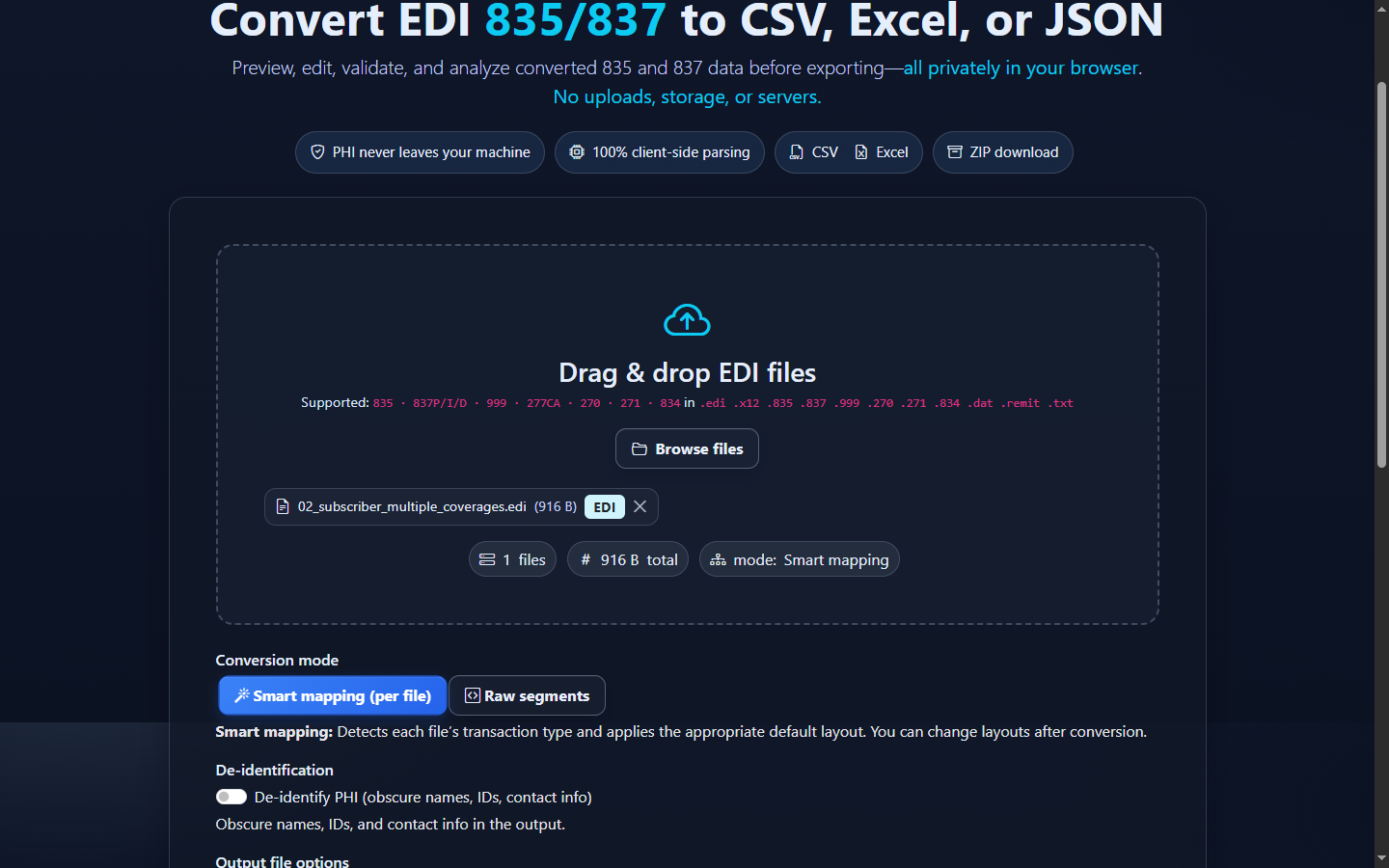
- Review the mapped result. Converted results shows one row per coverage and preserves member-only maintenance records. Summary reports files, 834 transactions, member contexts, coverage details, subscribers, dependents, and related occurrences.
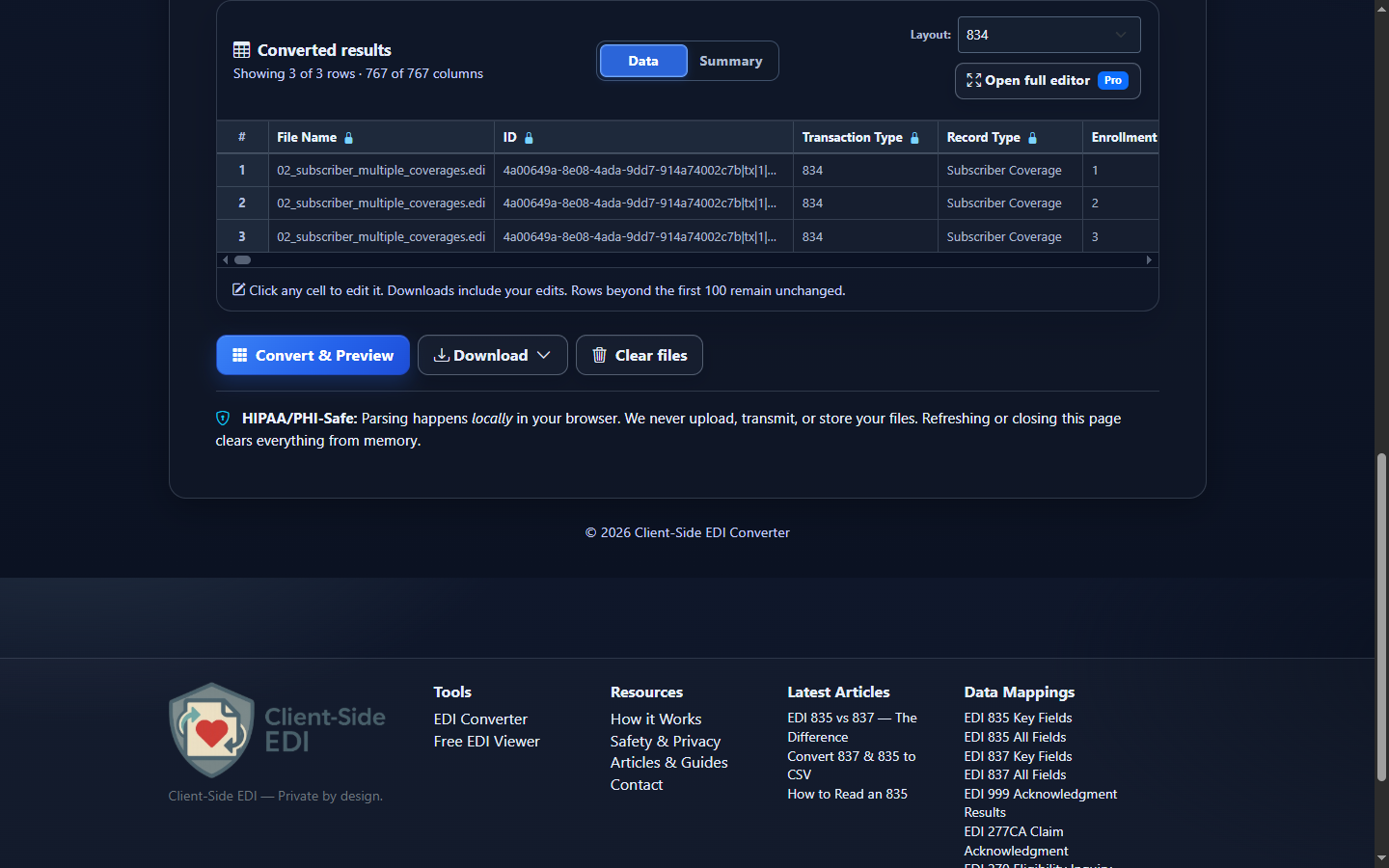
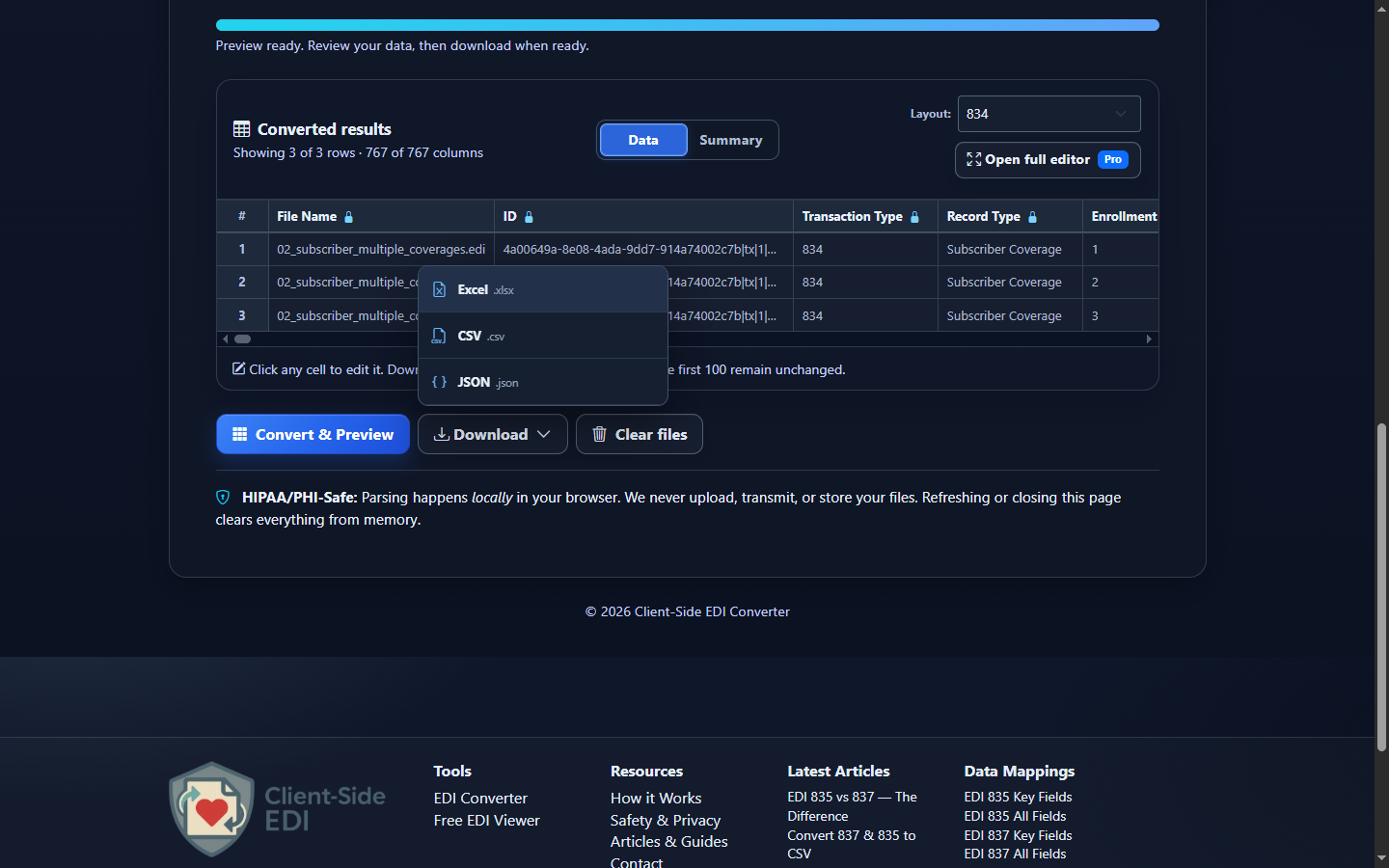
- Download reviewed data. Open Download and choose Excel (.xlsx), CSV (.csv), JSON (.json), or XML (.xml). Data Editor changes flow into the download but do not rewrite the source 834.
Choose CSV, Excel, JSON, or XML
| Format | Best fit | Watch for |
|---|---|---|
| CSV | Roster reconciliation, database imports, scripts, and one-table analysis. | CSV has no native typing; import IDs as text. |
| Excel | Benefits operations review, filters, exception lists, and controlled handoff. | Spreadsheet inference can remove zeroes or reformat dates. |
| JSON | Application code, automation, and field-name/value integrations. | Mapped row JSON is not a lossless X12 hierarchy. |
| XML | Structured row XML for integrations. It serializes the same reviewed Smart Mapping or Raw rows; it is not a native X12 hierarchy, an implementation-guide XML schema, or a lossless X12 round trip. | |
Review enrollment output without losing context
Use a composite key rather than a name alone: file, 834 transaction control number, member occurrence or identifier, and coverage number. A dependent can share a subscriber policy value, and one member can have several HD rows. Blank coverage columns on a member-only row are expected.
Maintenance codes require context. An INS-level action applies to the member loop, while an HD-level action applies to that coverage occurrence. Keep maintenance reason, benefit status, dates, and source loop together; do not convert every code into a universal business conclusion. Companion guides can narrow how a trading partner uses these values.
For reconciliation, preserve leading-zero control numbers, member IDs, group or policy numbers, plan identifiers, and dates as source strings. The downloadable EDI 834 data map documents the public output columns and EDI sources.
Common 834 conversion and review mistakes
Counting coverage rows as members
What you see: the spreadsheet has more rows than people. Why: each HD coverage becomes a row. Review: Member Number, Coverage Number, and Insurance Line Code. Correction: count distinct member occurrences separately from coverage details.
Applying an HD action to every coverage
What you see: a dental termination is treated as a full member termination. Review: Member Maintenance Type Code versus Coverage Maintenance Type Code. Correction: retain the loop scope and associated dates.
Dropping member-only records
What you see: an INS maintenance record with no HD disappears from a coverage-only report. Review: rows with a Member Number and blank Coverage Number. Correction: handle the mapper’s member-only fallback explicitly.
Losing leading zeroes
What you see: 00001234 becomes 1234. Why: spreadsheet type inference. Correction: import identifiers and control numbers as text and compare string values.
Detaching a date or amount from its qualifier
What you see: a maintenance-effective date is labeled as a benefit-begin date, or a premium amount is treated as another amount type. Review: DTP01/DTP02 with DTP03, and AMT01 with AMT02. Correction: preserve qualifier, format, value, and member-or-coverage scope together.
Assuming successful conversion proves acceptance
What you see: readable rows are treated as confirmation from a health plan. Correction: use conversion for inspection; review enabled validation results and the trading partner’s acknowledgment or reconciliation process separately.
Frequently asked questions
What does one converted EDI 834 row represent?
One HD coverage detail with applicable transaction and member context, or one member-only fallback when no HD exists.
Which implementation is supported?
The current mapper recognizes X12 005010X220A1 through exact ST03, or exact GS08 only when ST03 is blank. Other versions are raw-only for this workflow.
Why can one member produce several rows?
Medical, dental, vision, and other HD occurrences each have their own maintenance, plan, date, amount, provider, or COB context.
Does an 834 prove enrollment was accepted?
No. It communicates enrollment maintenance. Confirm acceptance and current status through the applicable trading-partner workflow.
How should I preserve member IDs in Excel?
Import identifier columns as text so values such as 00001234 retain their leading zeroes.
Can converted data be edited?
Yes. Data Editor changes affect converted exports, but they do not rewrite the original EDI source.