Eligibility response reading guide
How to Read an EDI 271 File
Trace a response from its transaction and patient hierarchy to each benefit or request-rejection occurrence without losing qualifier, date, amount, or network context.
To read an EDI 271 file, confirm transaction 271 and implementation 005010X279A1, match its controls and TRN trace to the original 270 inquiry, then follow HL ownership to the subscriber or dependent. Read every EB benefit occurrence with its coverage, service type, plan, time period, amount or percentage, network, and dates. Read AAA request-rejection information at the hierarchy level where it occurs. Never interpret a code or amount without its qualifiers, patient, and occurrence context.
Read a 271 in this sequence
- Confirm the file. Check ST01 for 271, ST03 for 005010X279A1, and match ST02 to SE02. Reconcile ISA/IEA and GS/GE controls.
- Read BHT and TRN. Use the response reference, creation time, trace number, originating company, and secondary trace to connect the response with the 270.
- Follow the HL tree. Move from information source (20) to receiver (21), subscriber (22), and dependent (23). Use HL02 to find the parent.
- Identify the patient. Read NM1 entity and identifier qualifiers, subscriber and patient identifiers, DMG demographics, INS relationship, and REF values together.
- Review AAA first when present. Determine its hierarchy owner, reason, follow-up action, and trace before reviewing benefit rows.
- Read every EB occurrence. Keep benefit category, coverage, services, insurance type, plan, period, amount or percentage, quantity, authorization, network, dates, messages, and provider details together.
- Compare with the inquiry. Verify that patient, trace, requested service, and date context align with the 270 before drawing an operational conclusion.
Reading safeguard: a 271 reports information supplied for an inquiry. It does not guarantee authorization, medical necessity, claim adjudication, or payment.
Find the patient and hierarchy owner
| Level | Context to retain | Reading question |
|---|---|---|
| Information source (20) | Plan identity, source references, contact, source-level AAA | Who returned the response, and was the source-level request processed? |
| Information receiver (21) | Provider identity, receiver references, receiver-level AAA | Which requesting organization owns this response? |
| Subscriber (22) | Trace, member and policy IDs, demographics, dates, EB and AAA occurrences | Which subscriber and benefits are described? |
| Dependent (23) | Parent subscriber, patient identity, relationship, trace, dates, EB and AAA | Which dependent owns this returned information? |
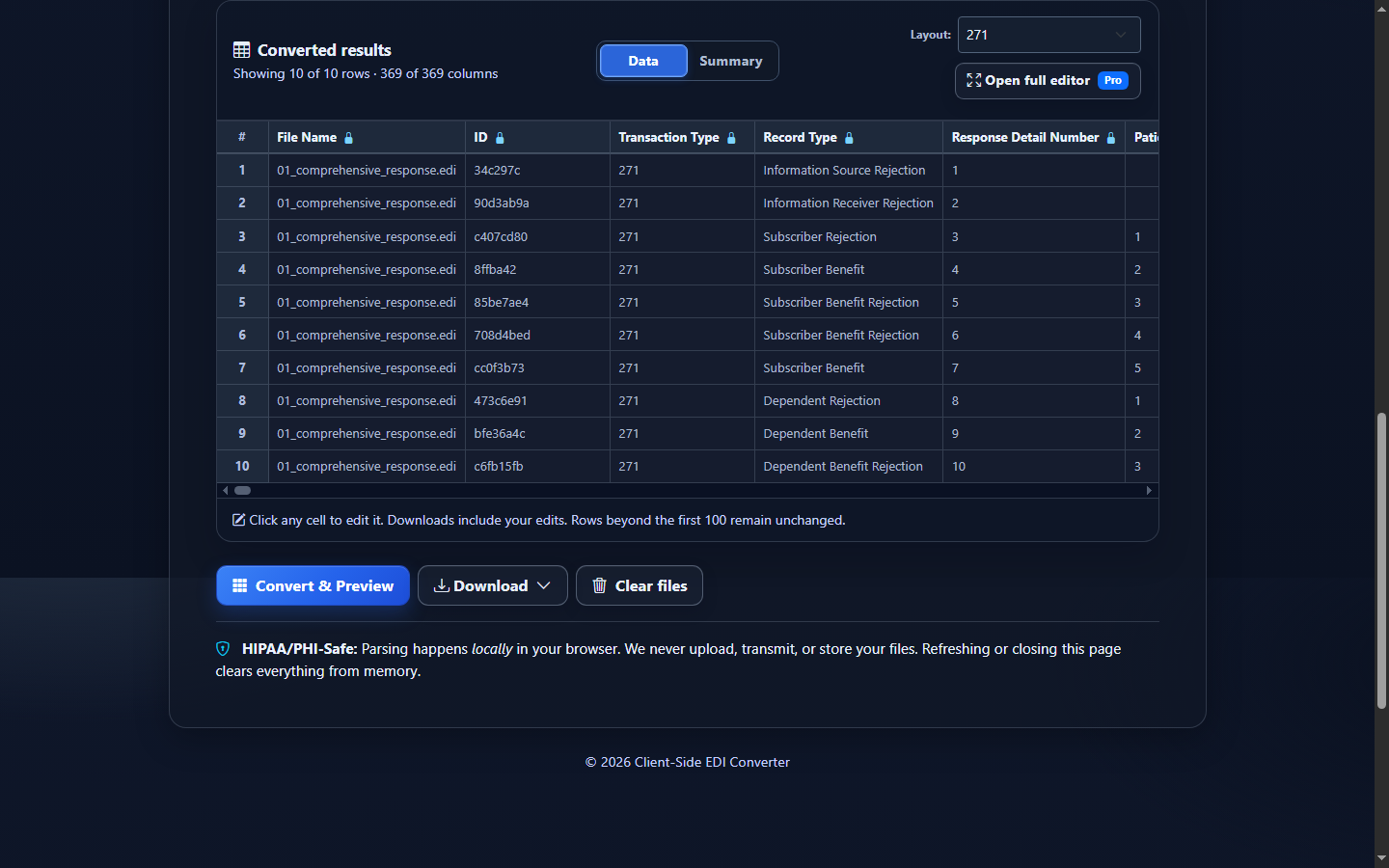
Do not assign an EB to the nearest name based only on visual order. HL01 identifies the current node, HL02 points to its parent, and HL03 identifies its role. Preserve Patient Type, subscriber and patient identifiers, Response Number, hierarchy values, and trace numbers on flattened rows.
Read EB benefits and AAA rejections in context
EB is occurrence-based. One patient may have several EB segments describing active coverage, exclusions, limitations, deductibles, copayments, coinsurance, or other returned categories. The exact interpretation depends on the benefit-information code and related qualified values. A value such as 25.00 is not useful until you know its category, time period, service type, coverage level, and network.
| Field family | Keep together | Risk if separated |
|---|---|---|
| Service and coverage | Benefit category, coverage level, service types, insurance type, plan description | A benefit is attributed to the wrong service or plan context. |
| Financial values | Amount or percentage, quantity, time-period qualifier, in-plan-network indicator | A copay, deductible, or coinsurance value is mislabeled. |
| Dates | DTP qualifier, format, value or range, EB occurrence | A coverage, eligibility, or service date is interpreted as another date concept. |
| AAA rejection | Hierarchy level, response code, agency, reason, follow-up, patient and trace | Valid rejection content is mistaken for a malformed source response. |
Provider information inside LS/LE loops and free-form MSG text can supplement an EB occurrence. Retain their enclosing patient and benefit owner rather than treating them as file-level facts.
Read this synthetic EDI 271 example
ST*271*0001*005010X279A1~
BHT*0022*11*RESP0001*20260726*1200~
HL*1**20*1~
NM1*PR*2*TEST HEALTH PLAN*****PI*842610001~
HL*2*1*21*1~
NM1*1P*2*TEST CLINIC*****XX*1234567893~
HL*3*2*22*0~
TRN*1*000012345*9876543210*TRACE-REF~
NM1*IL*1*SUBSCRIBER*SAM****MI*0000123456~
DTP*346*D8*20260101~
DTP*347*D8*20261231~
EB*1*IND*30^47^98*HM*GOLD PLAN*23~
SE*13*0001~
ST and BHT identify the response. The HL/NM1 pairs move from the synthetic plan to clinic and subscriber. TRN retains the inquiry-response trace, and the subscriber identifier preserves leading zeros. DTP qualifiers identify the applicable date concepts. EB supplies a benefit occurrence for the listed service types and plan context. SE confirms 13 segments and repeats control 0001.
Read a 271 in EDIFileConverter.com
- Open the EDI workspace and add an authorized 271 with Browse files or drag and drop.
- Keep Smart mapping (per file) selected and confirm 005010X279A1.
- Select Convert & Preview. Start with File, Patient Type, Response Number, trace, member identifiers, Benefit Number, and Request Rejection Number.
- Select Open full editor for filters and column controls. Keep patient, hierarchy, occurrence, qualifier, date, and network columns visible.
- Open Validation Results for enabled checks; do not confuse valid AAA content with a source defect.
- Select Analysis to review patient mix, benefits, service types, request rejections, dates, identifiers, and detailed occurrences.
- Use Download for Excel, CSV, JSON, or XML after confirming that exported rows retain their interpretation context.
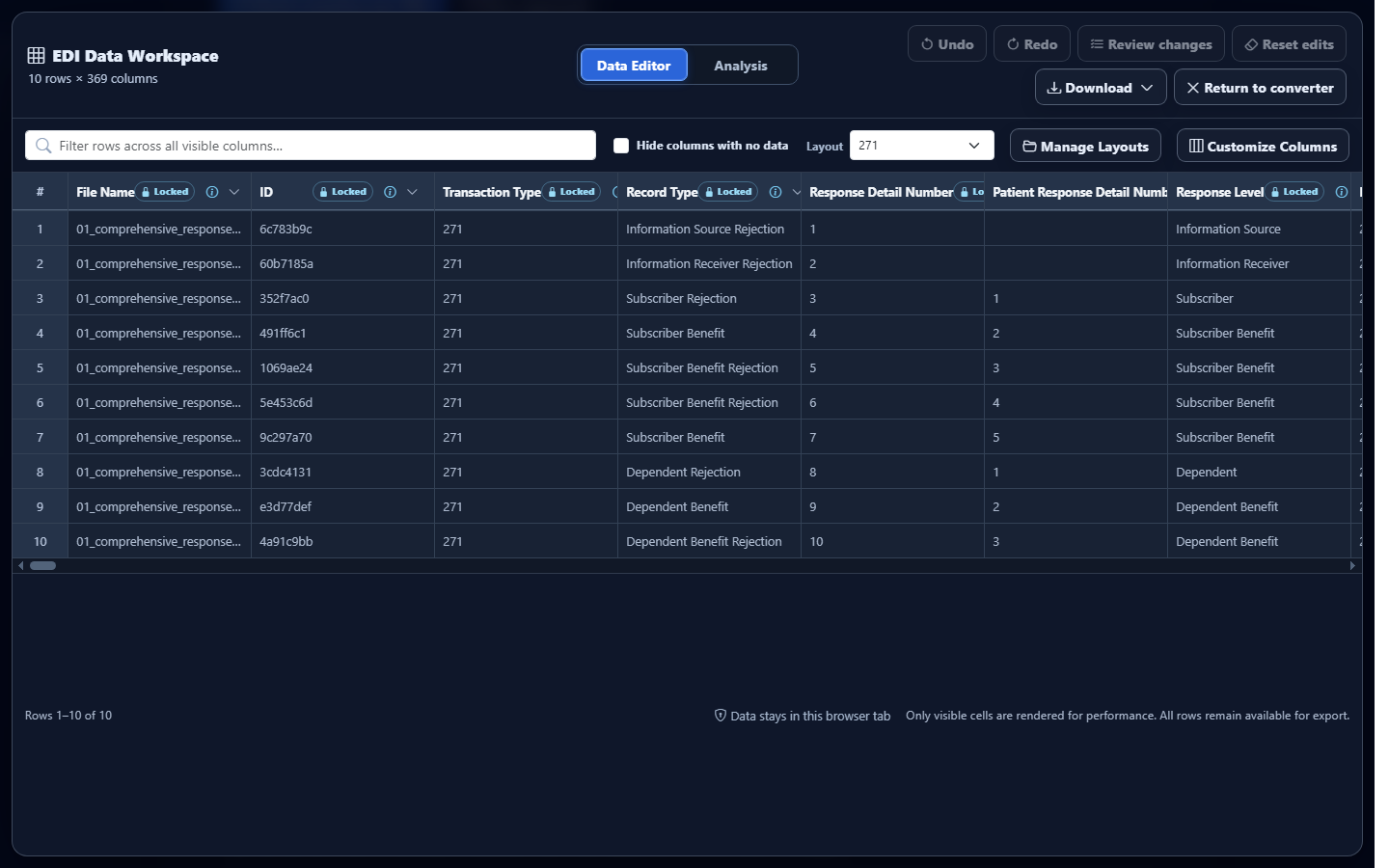
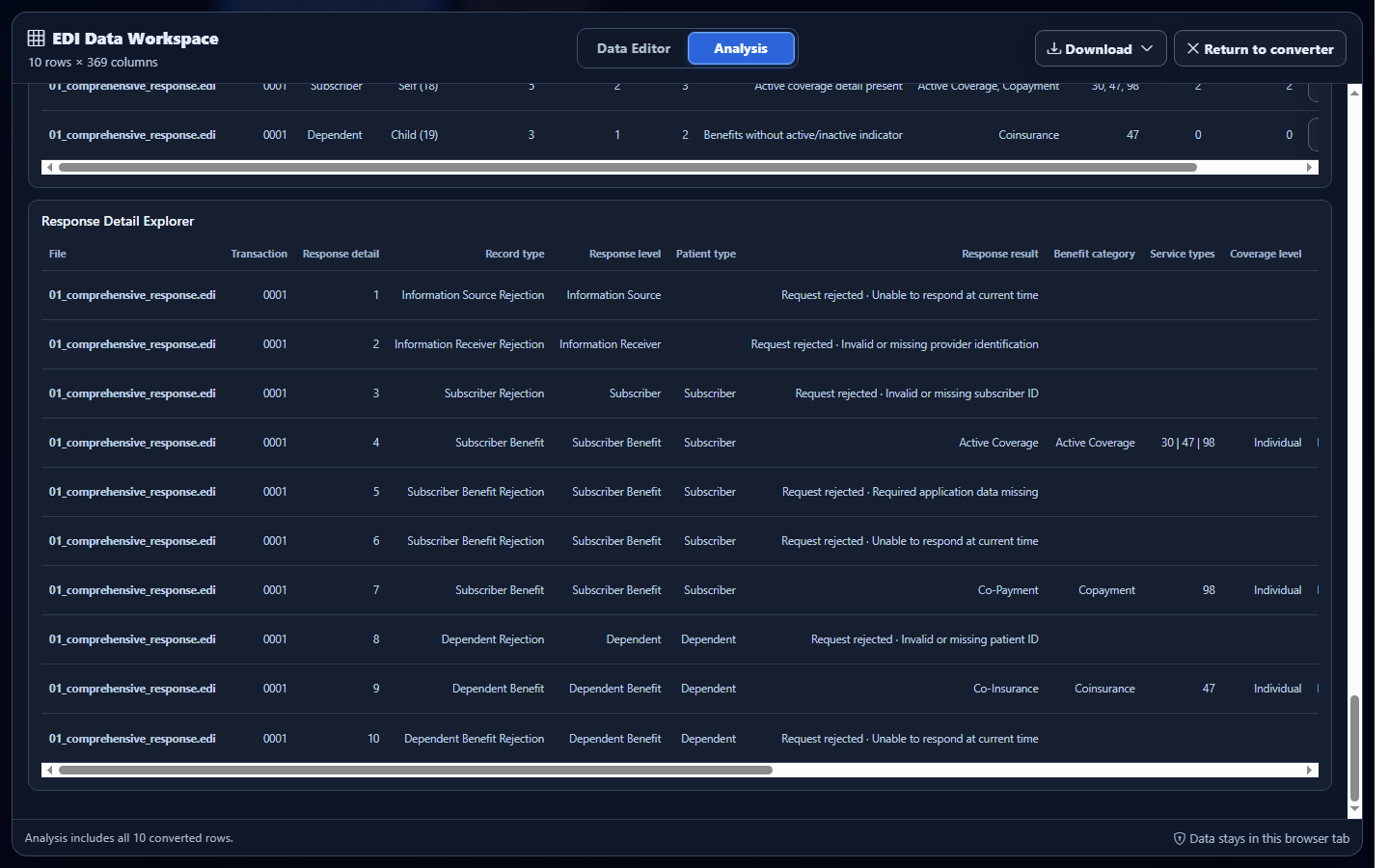
Product limitation: editing mapped rows does not rewrite the source response or change payer-supplied information.
Common mistakes when reading a 271
Reading one EB as the whole response
Repeated EB occurrences can describe different benefit dimensions. Preserve Benefit Number and all qualified context.
Treating AAA as a file error
AAA can be valid request-rejection content. Review its hierarchy owner, reason, follow-up, patient, and trace.
Ignoring time period and network
An amount or percentage can change meaning with its benefit period and network indicator. Never report it alone.
Losing the dependent’s subscriber context
A dependent inherits important lookup context from its parent subscriber. Retain both sets of identifiers.
Assuming the response guarantees payment
Eligibility and benefit information does not guarantee authorization, adjudication, or payment for a future claim.
Frequently asked questions
What should I read first?
Confirm 271 and 005010X279A1, match controls and trace to the 270, then follow HL ownership to the patient.
How do I interpret EB?
Read its category with coverage, services, plan, period, amount or percentage, quantity, network, dates, and patient.
Is AAA always a validation error?
No. It can be valid response content explaining why a request could not be processed.
Can one patient have multiple EB segments?
Yes. Preserve every occurrence and its qualified context.
Does a 271 guarantee payment?
No. It does not guarantee authorization, medical necessity, adjudication, or payment.