Raw boundary: Raw mode preserves identified original segment rows, bypasses the 58-field Smart projection and 999 Smart Summary/validation, and is not de-identified. TA1, broader optional X231 structures, payer/partner companion rules, and lossless hierarchical export remain outside the current result schema.
Current converter contract
Smart routing requires ST01=999. A nonblank ST03 must be exactly 005010X231 or 005010X231A1; only a blank ST03 may fall back to an exact supported GS08. Near matches and unsupported references are Raw-only.
Smart Mapping exposes one unified 58-field schema with no separate Key schema. It is a bounded, non-exhaustive X231/X231A1 projection with hybrid row grain: one row per IK4, an IK3-without-IK4 row, an AK2-without-IK3 row, or a group-summary row when no AK2 exists. Converter-generated ID represents private physical occurrence identity and is not source-supplied.
IK401-3 is the repeating data-element position. CTX output preserves exact source text, case, physical order, and duplicates. Summary counts physical AK2, IK3, IK4, and every populated IK5/AK9 error-code position independently; AK9 counts remain source-reported and are not reconciled to AK2 detail.
De-identification protects Smart rows, Summary, validation presentation, and CSV/JSON/XLSX/XML downloads. Raw mode preserves identified original segment rows and is not de-identified.
Implementation acknowledgment reading guide
How to Read an EDI 999 File
Follow a 999 from its acknowledged group to each transaction, segment error, element detail, and final result.
To read an EDI 999 file, confirm ST01=999 and exact X231/X231A1 routing, reconcile its envelope controls, then read AK1 for the acknowledged functional group. Within each AK2 loop, preserve the transaction control, attach every physical IK3 and nested IK4 detail, including IK401-3 and exact CTX text, and finish with IK5. Read source-reported AK9 counts separately from detailed AK2 occurrences. Acceptance is implementation-level status, not business approval.
Read a 999 in this sequence
- Confirm ST01=999, ST03=005010X231A1, and match ST02 to SE02.
- Reconcile ISA/IEA and GS/GE controls and counts.
- Use AK1 to identify the acknowledged group type, control, and version.
- Start each acknowledged transaction at AK2 and retain its type, control, and version.
- Read IK3 segment tag, position, loop, and error code.
- Attach following IK4 element/component details to the current IK3 occurrence.
- Read IK5 as that AK2 transaction’s result.
- Read AK9 as the group result and reconcile its counts.
Keep IK3 and IK4 attached to their AK2 owner
| Level | Keep | Question |
|---|---|---|
| AK1 | Group type, control, version | Which group is acknowledged? |
| AK2 | Transaction type, control, version | Which source transaction owns the result? |
| IK3 | Segment tag, position, loop, error | Which segment occurrence failed? |
| IK4 | Element, component, and repetition position; reference, bad data, error | Which value refines the IK3 finding? |
| IK5 / AK9 | Transaction outcome / group outcome and source-reported counts | What was accepted or rejected? |
A 999 can contain multiple AK2 loops and repeated errors. Preserve converter-generated ID, Issue Number, group and transaction controls, and IK3/IK4 location fields in flat output. Count physical AK2 transactions independently from IK3 and IK4 error occurrences.
Read this synthetic 999 example
ST*999*0001*005010X231A1~
AK1*HC*000001*005010X222A1~
AK2*837*000000001*005010X222A1~
IK3*NM1*12**8~
IK4*9:1:003*67*7*12345~
IK5*R*5~
AK9*R*1*1*0~
SE*8*0001~
AK1 identifies the source healthcare group. AK2 identifies its 837. IK3 points to an NM1 segment at position 12; IK4 narrows the issue to an element and preserves the reported value. IK5 rejects the transaction. AK9 rejects the group and reports one received, one included, and zero accepted. The example is fictional.
Read a 999 in EDIFileConverter.com
- Open the EDI workspace and add an authorized 999.
- Keep Smart mapping (per file) selected and confirm 005010X231A1.
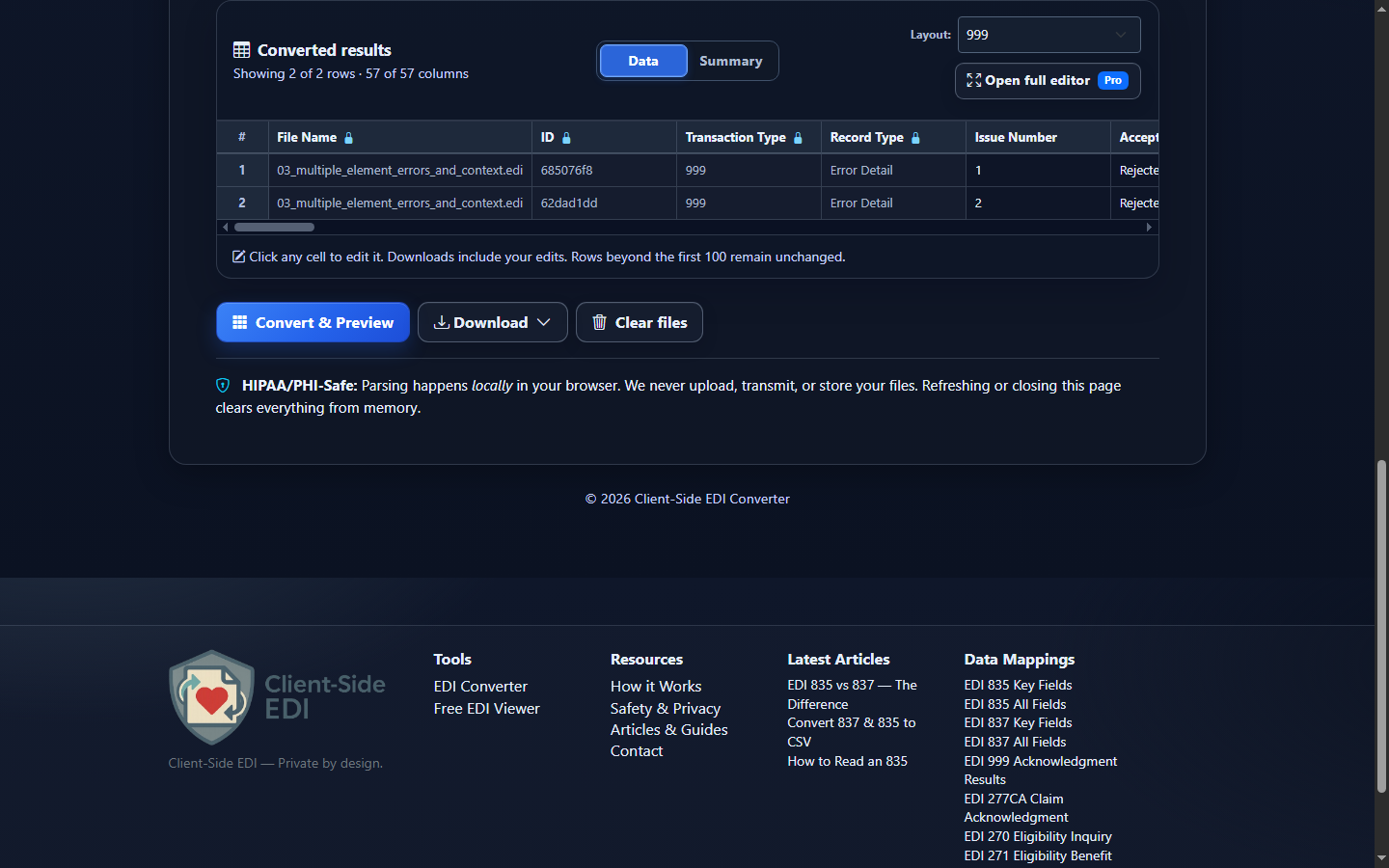
- Select Convert & Preview and review group, transaction, error, IK5, and AK9 fields.
- Select Open full editor for filters and occurrence-level columns.
- Use Validation Results for source checks and Analysis for outcomes and error patterns.
- Use Download for Excel, CSV, JSON, or XML after retaining ownership fields.
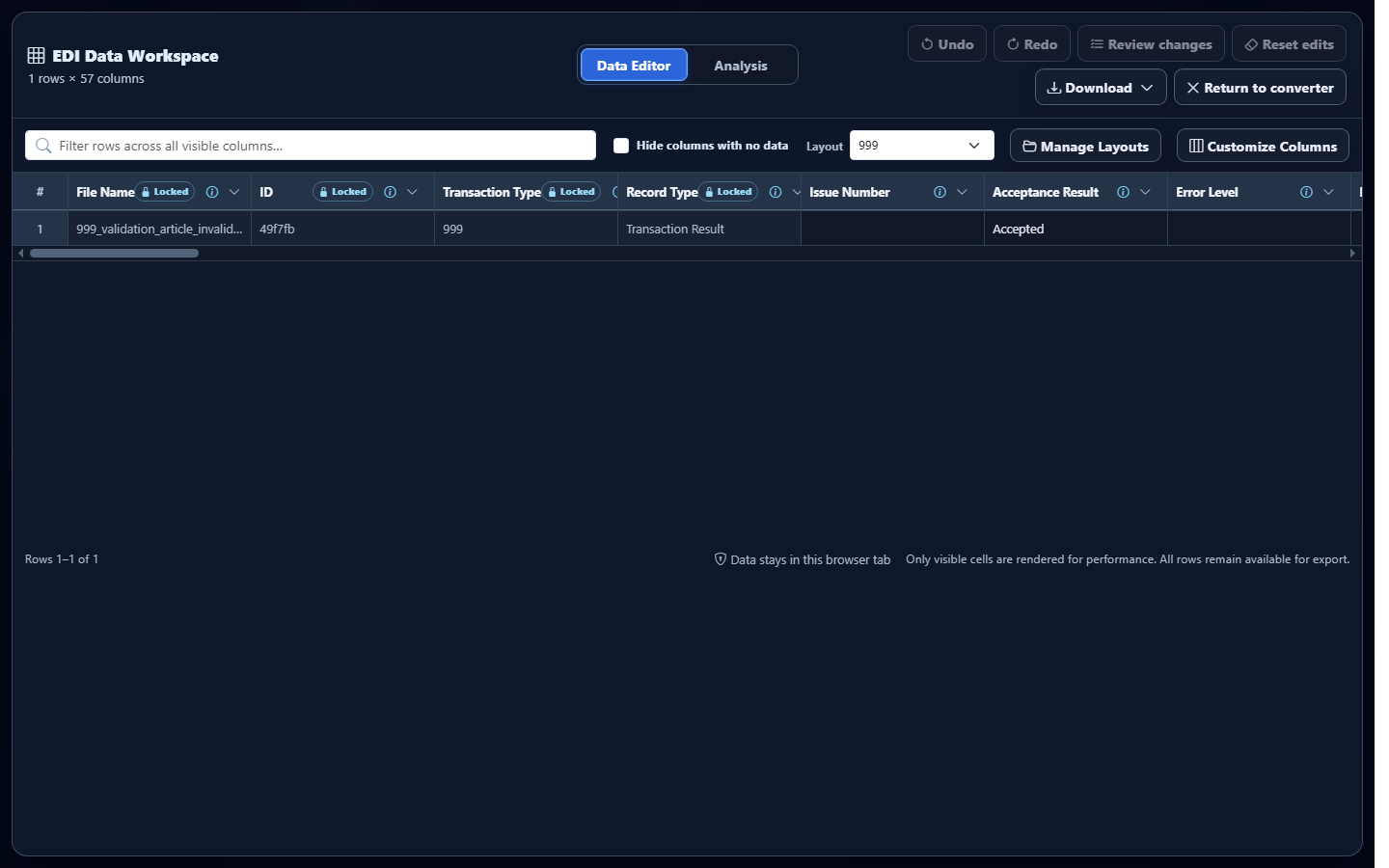
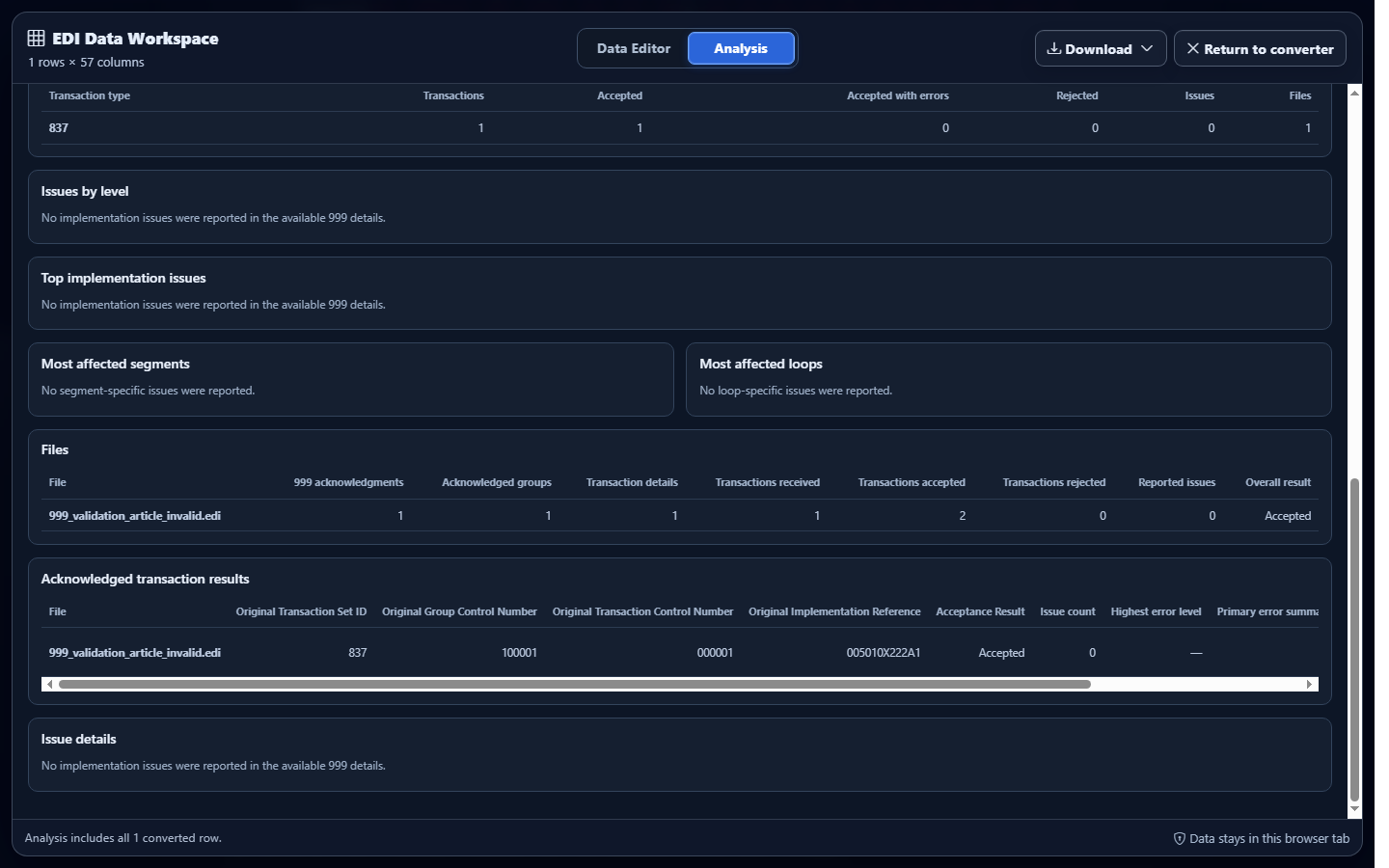
Editing converted rows does not rewrite the source acknowledgment or change the receiver’s result.
Common mistakes
Assuming accepted means approved
A 999 does not prove claim acceptance, enrollment, eligibility, adjudication, or payment.
Separating IK4 from IK3
Element detail must remain attached to its segment occurrence and AK2 transaction.
Ignoring controls and counts
Use AK1/AK2 controls and AK9 counts to reconcile the correct source.
Treating reported rejection as a malformed 999
A valid acknowledgment can legitimately reject the transaction it describes.
Frequently asked questions
What should I read first?
Confirm the implementation, then read AK1 and each AK2 loop.
How do IK3 and IK4 relate?
IK4 refines the enclosing IK3 segment error.
How do IK5 and AK9 differ?
IK5 is transaction-level; AK9 is group-level.
Does accepted mean business approved?
No. It is implementation-level status only.