Claim-acknowledgment analysis guide
How to Analyze an EDI 277CA File
Measure acknowledgment outcomes, status occurrences, hierarchy levels, and rejection hotspots without mistaking pre-processing status for adjudication.
To analyze an EDI 277CA file, convert the 005010X214 acknowledgment with Smart mapping, open the full workspace, and select Analysis. Review transaction, provider, claim, and service-line status counts; compare accepted and rejected outcomes; inspect top status reasons and affected files; then drill into Data Editor rows when source context is needed. The analysis summarizes values supplied in the acknowledgment. It does not prove adjudication or payment and does not change the original 837.
What 277CA analysis measures
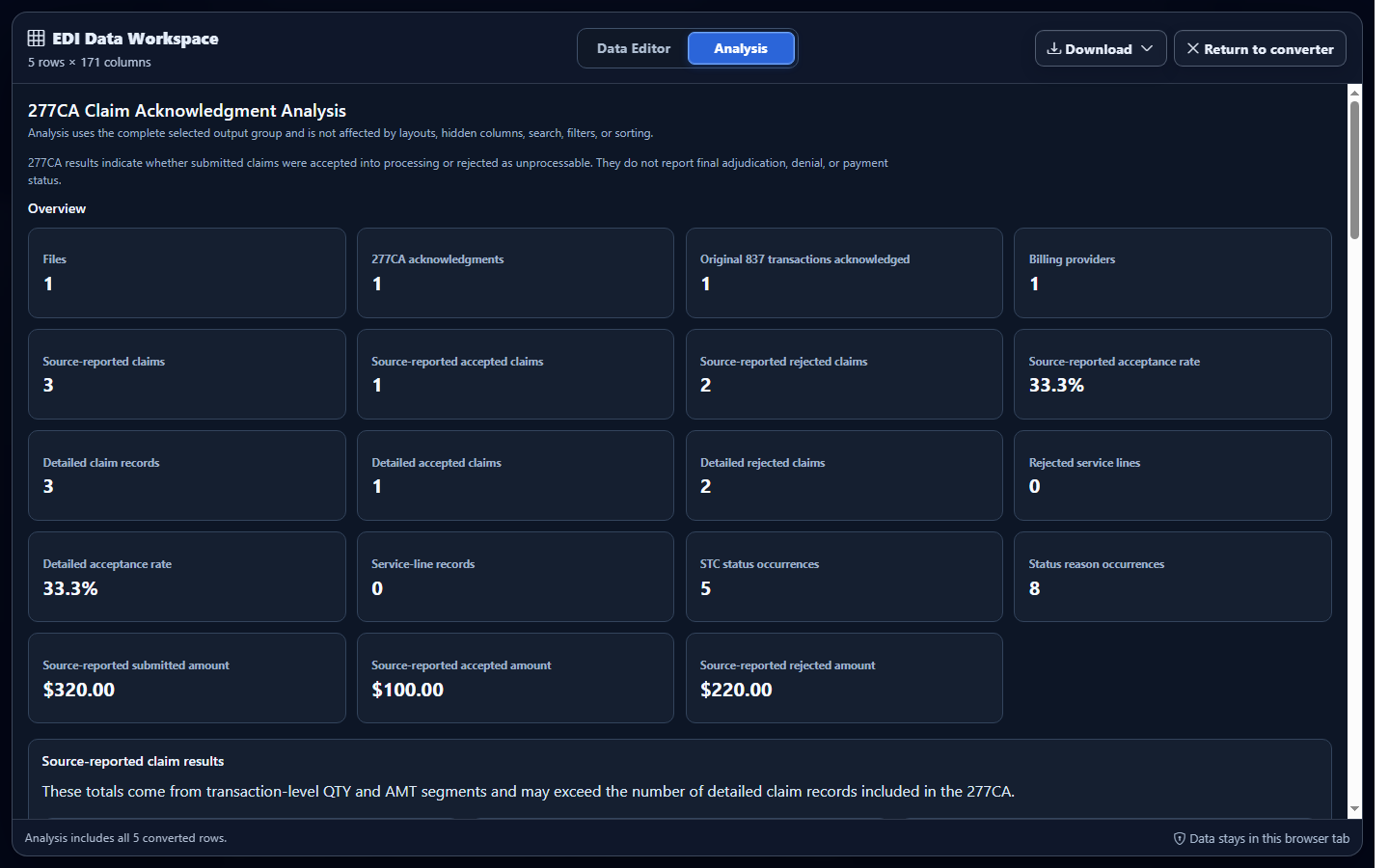
The ASC X12 277CA Health Care Claim Acknowledgment uses implementation 005010X214 to report pre-processing status for submitted 837 claim data. Analysis turns its nested transaction, provider, claim, service-line, and STC occurrences into counts and distributions that can be compared across files or cohorts.
A 999 primarily reports implementation syntax and structure. A 277CA adds claim-oriented acknowledgment evidence. Neither an accepted transaction nor an accepted claim acknowledgment proves adjudication or payment; later claim-status and remittance workflows address later lifecycle events.
Useful questions include: Which files contain the most rejected claim occurrences? Which providers have unusual status distributions? Are service-line rejections concentrated in one submission batch? Which raw STC category, status, entity, or action values warrant source-level investigation?
Choose the correct status occurrence before analysis
| Converted context | Fields to verify | Analysis risk |
|---|---|---|
| Transaction | 277CA transaction control, BHT reference, transaction-level STC, and action code. | A transaction-level status should not be mistaken for one claim’s result. |
| Provider | Billing provider identifier, provider trace, acknowledgment level, and provider STC. | Several claims can inherit the same provider context. |
| Claim | Claim submitter identifier, payer claim control number, status number, STC composite, and amounts. | Repeated STC rows may describe one claim, not separate claims. |
| Service line | Service-line control number, procedure context, service date, and line-level STC. | A line rejection must remain tied to its parent claim and service occurrence. |
Choose the denominator before comparing groups. Count transactions by transaction control, claims by a stable claim occurrence, service lines by their parent claim and line control, and STC values as status occurrences. Preserve leading zeros and hierarchy identifiers so grouped results can be traced back to their source context.
Important: If the source 277CA is malformed, correct it in the producing system. If it reports an 837 rejection, investigate the original submission and trading-partner instructions. A dashboard label cannot repair source data or change sender-reported status.
Synthetic cohort example
Suppose a fictional batch contains 20 distinct claim occurrences. Provider A owns 12 claims: nine have an accepted mapped result and three have a rejected mapped result, with five service-level rejection occurrences. Provider B owns eight claims and all eight have an accepted mapped result.
| Provider | Distinct claims | Accepted claims | Rejected claims | Service rejection occurrences |
|---|---|---|---|---|
| Provider A | 12 | 9 | 3 | 5 |
| Provider B | 8 | 8 | 0 | 0 |
The claim total is not the number of STC rows. First group by a stable claim occurrence, then analyze raw STC category, status, entity, and action values at their hierarchy level. This keeps a claim with several service statuses from inflating the claim denominator.
Analyze converted 277CA data in EDIFileConverter.com
- Open the EDI converter and Data Editor. Add an authorized 277CA using Browse files or Drag & drop EDI files. Processing occurs in the browser tab without application-server upload.
- Keep Smart mapping (per file) selected. Confirm the detected implementation is 005010X214. A different 277 implementation, such as 005010X212, should not be treated as 277CA.
- Select Convert & Preview. Verify transaction type, Record Type, Acknowledgment Level, claim identifiers, status values, and file context.
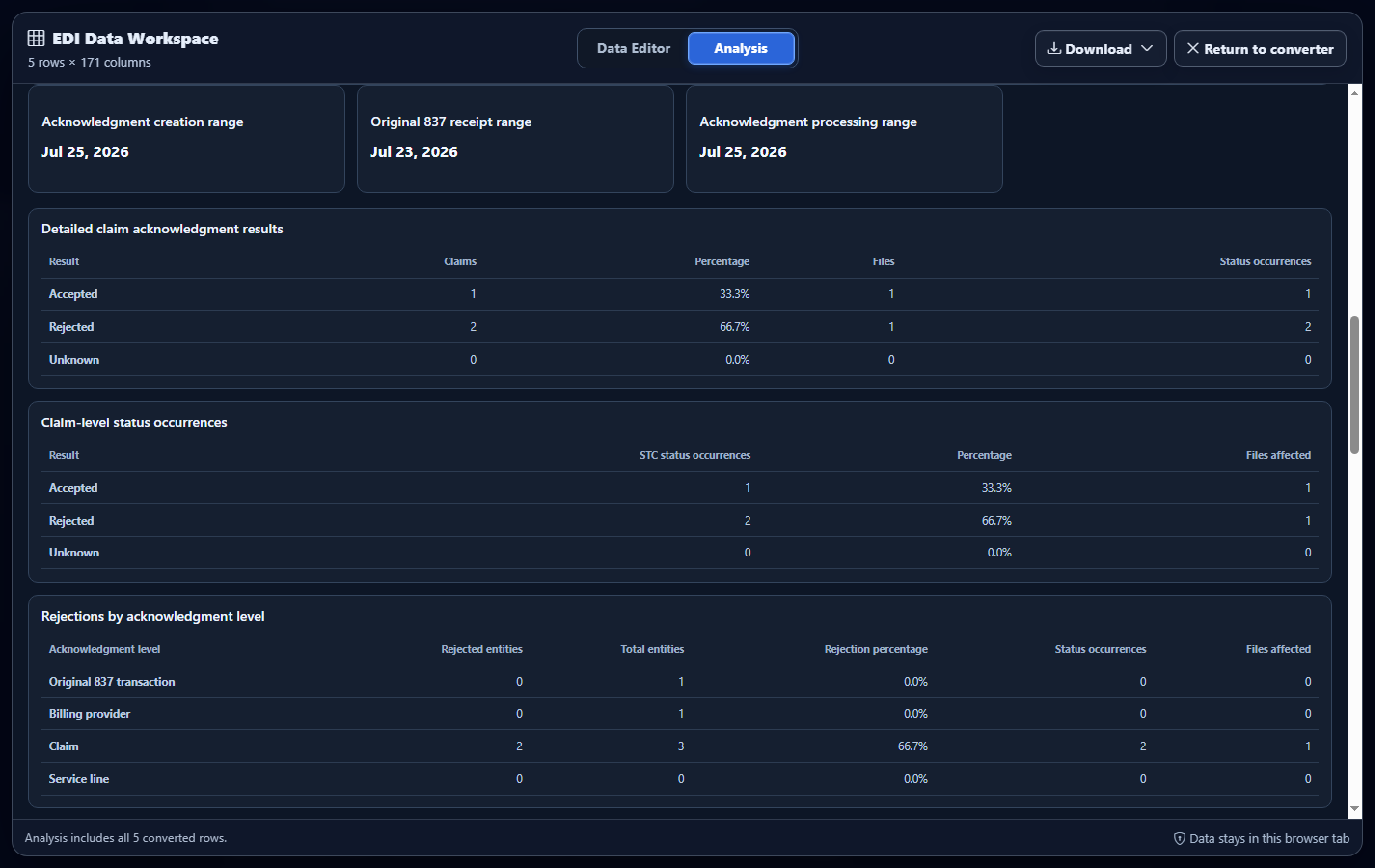
- Open the full workspace and select Analysis. Compare physical files, ST transactions, providers, claims, service lines, and mapped outcomes.
- Filter the cohort. Narrow by provider, file, status result, or hierarchy level, then compare counts using the same denominator.
- Drill into anomalies. Use status-reason and affected-file details, then inspect the corresponding mapped row and source context before drawing a conclusion.
Investigate anomalies before acting
A high rejection share is a starting point, not a diagnosis. Compare the cohort with prior files of similar size, check whether one provider or submitter dominates it, and inspect the raw reported status fields at the correct hierarchy level. Small cohorts can produce dramatic percentages from only one or two claims.
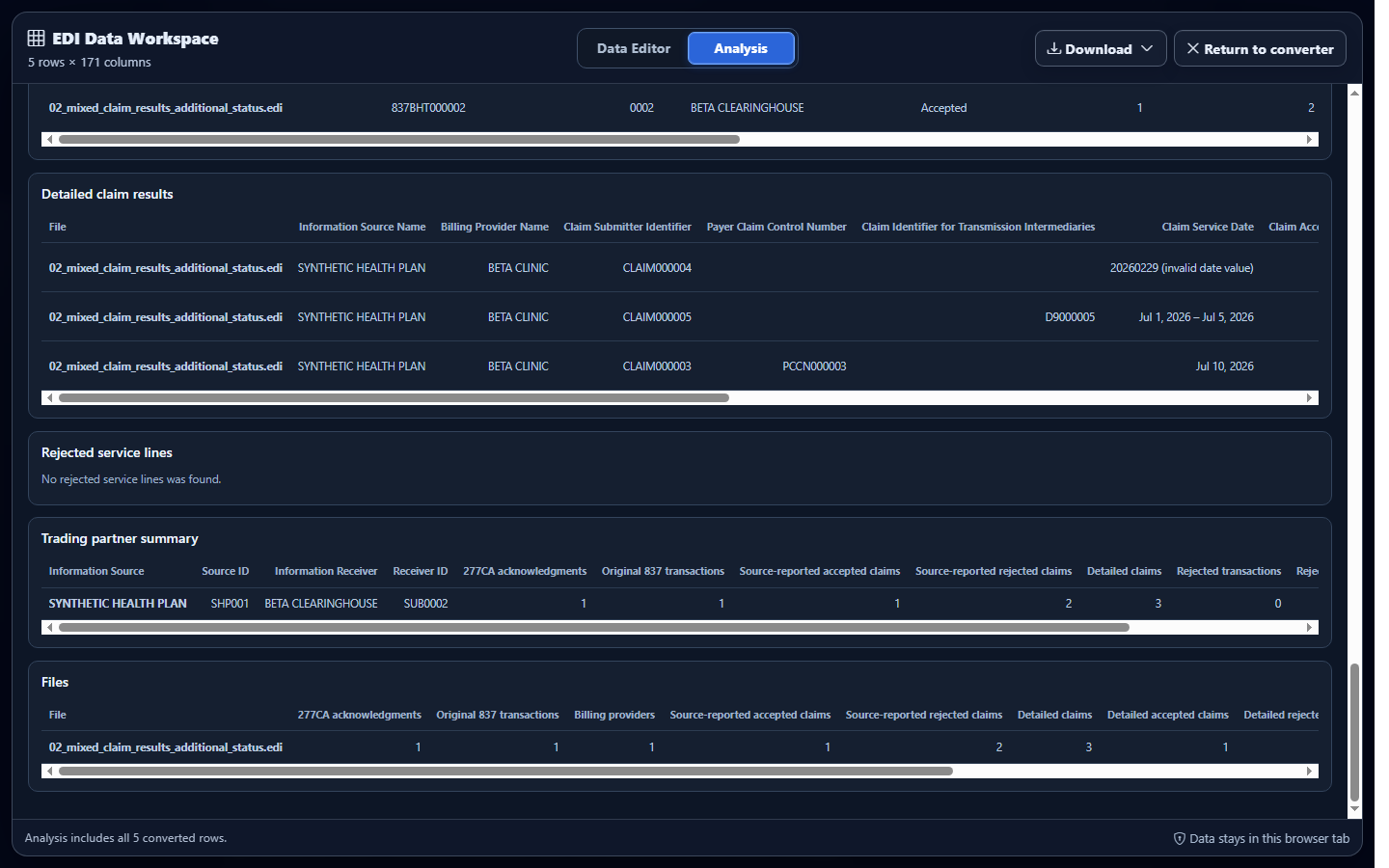
When downstream review requires a file, export the analyzed rows with the transaction control, provider, claim trace, payer control, acknowledgment level, status number, and service-line identifiers needed to preserve context. Document the cohort definition and counting grain alongside the result.
Common 277CA analysis mistakes
Counting every repeated STC row as a claim
Each row can represent a different status occurrence or hierarchy level. Group claims by stable claim context and report STC occurrences separately.
Treating acceptance as adjudication
Pre-processing acknowledgment does not establish adjudication or payment. Keep the reported result distinct from later claim-lifecycle evidence.
Dropping hierarchy identifiers during aggregation
Status meaning depends on owner and occurrence. Retain transaction, provider, claim, and service-line keys long enough to trace every aggregate.
Confusing source validation with reported rejection status
A validator finding describes the file being inspected; a 277CA status describes what its sender reported about submitted claim data. Analyze those evidence streams separately.
Frequently asked questions
What does 277CA analysis summarize?
It summarizes acknowledgment rows by file, hierarchy level, provider, claim, service line, and reported status values.
Does an accepted 277CA mean a claim was paid?
No. A 277CA reports pre-processing acknowledgment status; it does not prove adjudication or payment.
Which 277 implementation is supported?
Smart mapping recognizes 005010X214, the Health Care Claim Acknowledgment commonly called 277CA.
How should repeated STC rows be counted?
Count claims using stable claim identifiers and treat STC rows as status occurrences at their reported hierarchy level.
Can analysis repair a rejected 837 claim?
No. Analysis helps locate reported status evidence; source corrections belong in the system that produced the claim.