Eligibility response conversion guide
How to Convert EDI 271 to CSV, Excel, JSON, or XML
Turn a healthcare eligibility response into readable rows while keeping every benefit or rejection tied to the correct patient, service type, date, plan, and network context.
To convert an EDI 271 to CSV, Excel, JSON, or XML, open the EDI converter, add the 005010X279A1 file, keep Smart mapping (per file) selected, and choose Convert & Preview. Review the EB benefit and AAA rejection rows in Converted results, then open Download and select Excel, CSV, JSON, or XML. The mapped output labels values nested under payer, receiver, subscriber, dependent, benefit, and related-entity loops.
What a converted 271 represents
An EDI 271 is a Health Care Eligibility Benefit Response. A health plan or other information source returns it after an information receiver sends an EDI 270 inquiry. Providers, clearinghouses, practice-management systems, and eligibility teams use the response to review returned coverage status, benefit details, request rejections, plan dates, service types, cost-sharing amounts, network indicators, and related organizations or providers.
The current mapper recognizes implementation 005010X279A1. It creates one canonical row for each EB eligibility or benefit detail and each AAA request-validation detail. Parent information is repeated onto the row: information source, information receiver, subscriber, and—where present—dependent. This preserves the business detail analysts need without pretending that one segment or one patient equals one spreadsheet row.
A patient can have multiple EB segments. One can describe active coverage, another a copayment, and another coinsurance for a different service or network scope. AAA details can occur at several hierarchy levels. Keeping occurrences separate prevents an amount, rejection reason, or message from being attached to the wrong benefit.
From EB to a readable benefit row
This fictional extract comes from the repository’s parser-tested comprehensive 271 fixture. Names, identifiers, dates, and contacts are synthetic.
ST*271*0001*005010X279A1~
BHT*0022*11*RESP0001*20260726*1200~
HL*3*2*22*1~
TRN*1*000012345*9876543210*TRACE-REF~
NM1*IL*1*SUBSCRIBER*SAM*A**JR*MI*0000123456~
EB*1*IND*30^47^98*HM*GOLD PLAN*23***VS*12*Y*Y*HC:99213::59:LT::OFFICE VISIT:99215~
REF*18*BENEFITPLAN~
DTP*472*RD8*20260701-20260731~
MSG*Coverage includes preventive services, subject to plan terms.~005010X279A1 in ST03 is supported. If ST03 is blank, exact 005010X279A1 in GS08 is the fallback; near-match and unsupported versions are Raw-only. All Fields is the current 369-column Smart Mapping schema, not exhaustive X279A1 support, and there is no separate 271 Key schema. It emits one row per EB or AAA occurrence; repeated EB03 values remain in source order on one EB row, and a member without EB or AAA emits no detail row.Privacy boundary: De-identify PHI protects Smart Mapping rows, validation, summary, and downloads. Raw segments mode intentionally retains the original EDI and is not de-identified. EB07 amounts remain context-specific and should not be summed across deductibles, copays, limitations, benefits, time periods, or service types without a valid business basis. EB08 retains the raw fractional value; presentation may show .20 as 20%.
NM1 identifies the subscriber and member ID. EB01 reports the eligibility or benefit information code; EB02 supplies coverage level; repeated EB03 values identify service types; and EB04 supplies insurance type. EB11 and EB12 carry authorization/certification and in-plan network indicators. The HC composite in EB13 supplies procedure details. The meaning and format of DTP03 depend on DTP01 and DTP02.
| Output field | Example | Why it matters |
|---|---|---|
| Record Type | Subscriber Benefit | Separates EB benefit from AAA rejection rows. |
| Subscriber Member ID | 0000123456 | Must remain text to preserve leading zeroes. |
| Eligibility or Benefit Information | Active Coverage | Translates EB01 while retaining its source code. |
| Service Type Codes | 30 | 47 | 98 | Preserves repeated EB03 values in source order. |
| In-Plan Network Indicator | Y | Qualifies this detail, not every returned service. |
| Benefit Date/Range | 20260701-20260731 | Must be read with qualifier 472 and format RD8. |
Convert the 271 in the application
- Open the converter. Visit the Client-Side EDI converter. Selected files are processed in the browser tab without application-server upload.
- Add the response. Drag the file into Drag & drop EDI files or choose Browse files.
- Use Smart mapping. Smart mapping (per file) detects ST01 271 and 005010X279A1. Raw segments is useful for syntax inspection but does not create benefit-aware fields.
- Choose privacy options. If appropriate, enable De-identify PHI to obscure names, identifiers, and contact information in converted output. Confirm whether downstream reconciliation still needs a controlled matching key.
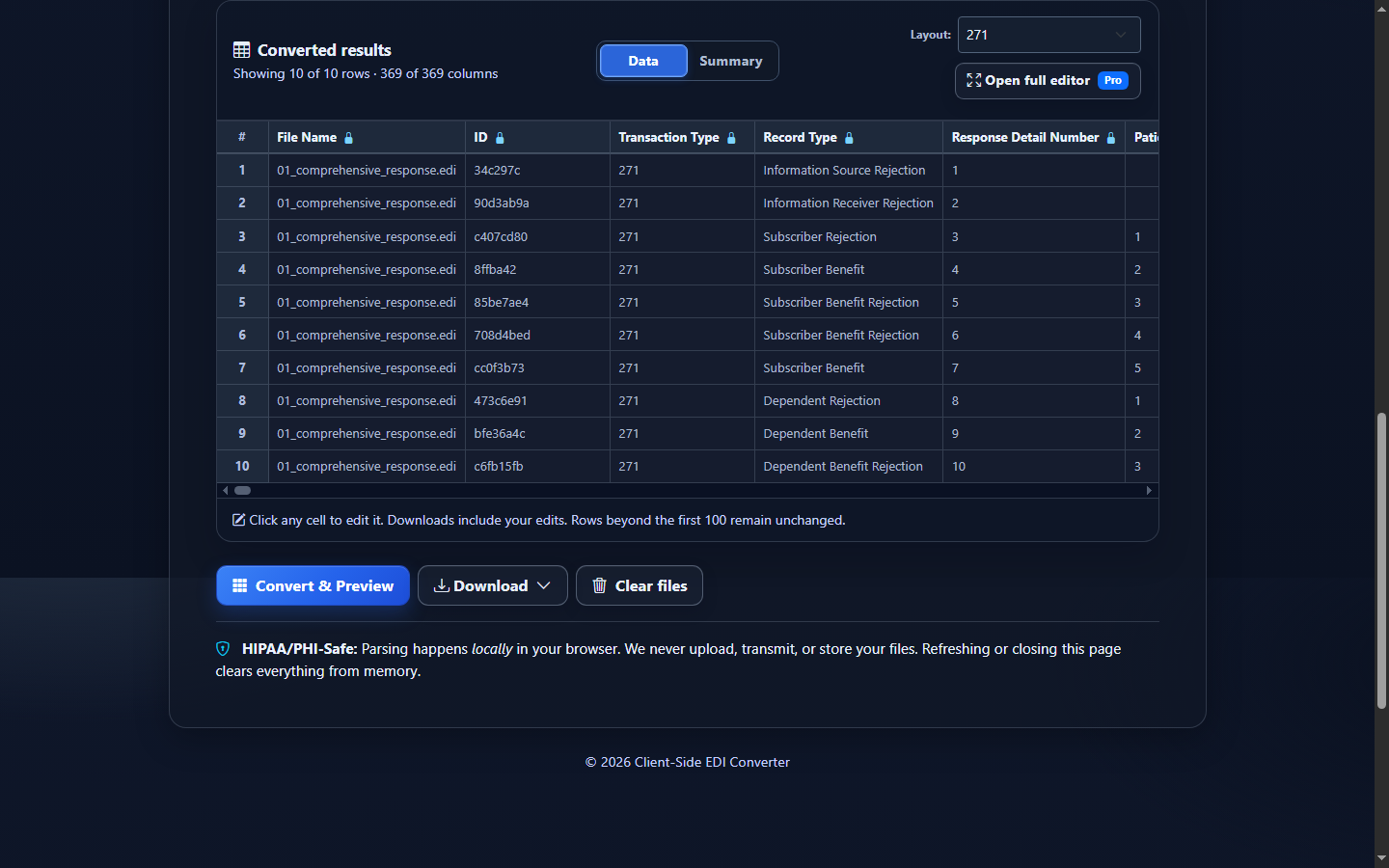
- Select Convert & Preview. Compare patient IDs, EB information codes, service types, dates, amounts, percentages, and network indicators against several source details.
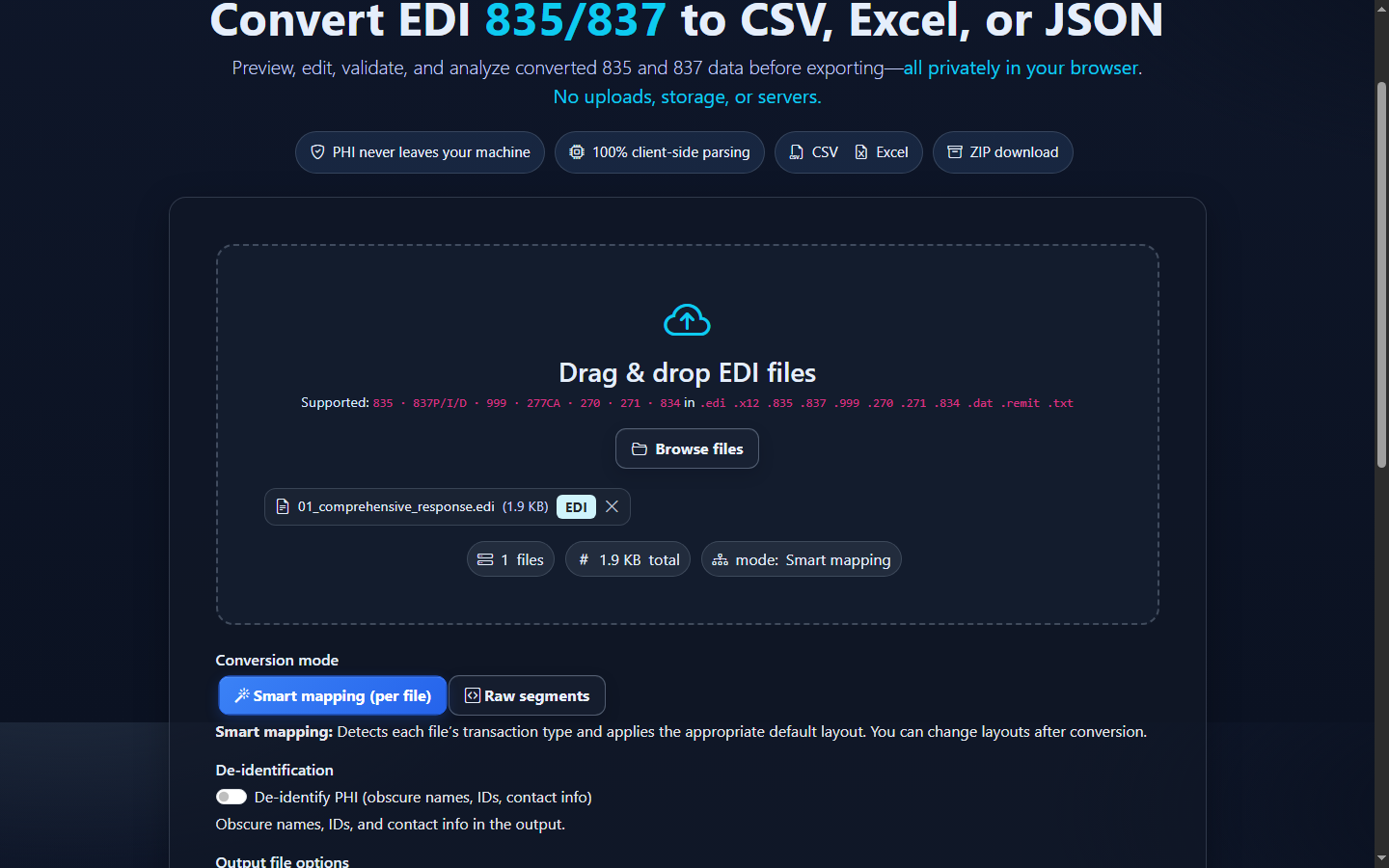
- Review mapped rows. Converted results presents EB and AAA occurrences separately. Summary reports response details, benefit details, request rejections, patient contexts, service types, and benefit signals.
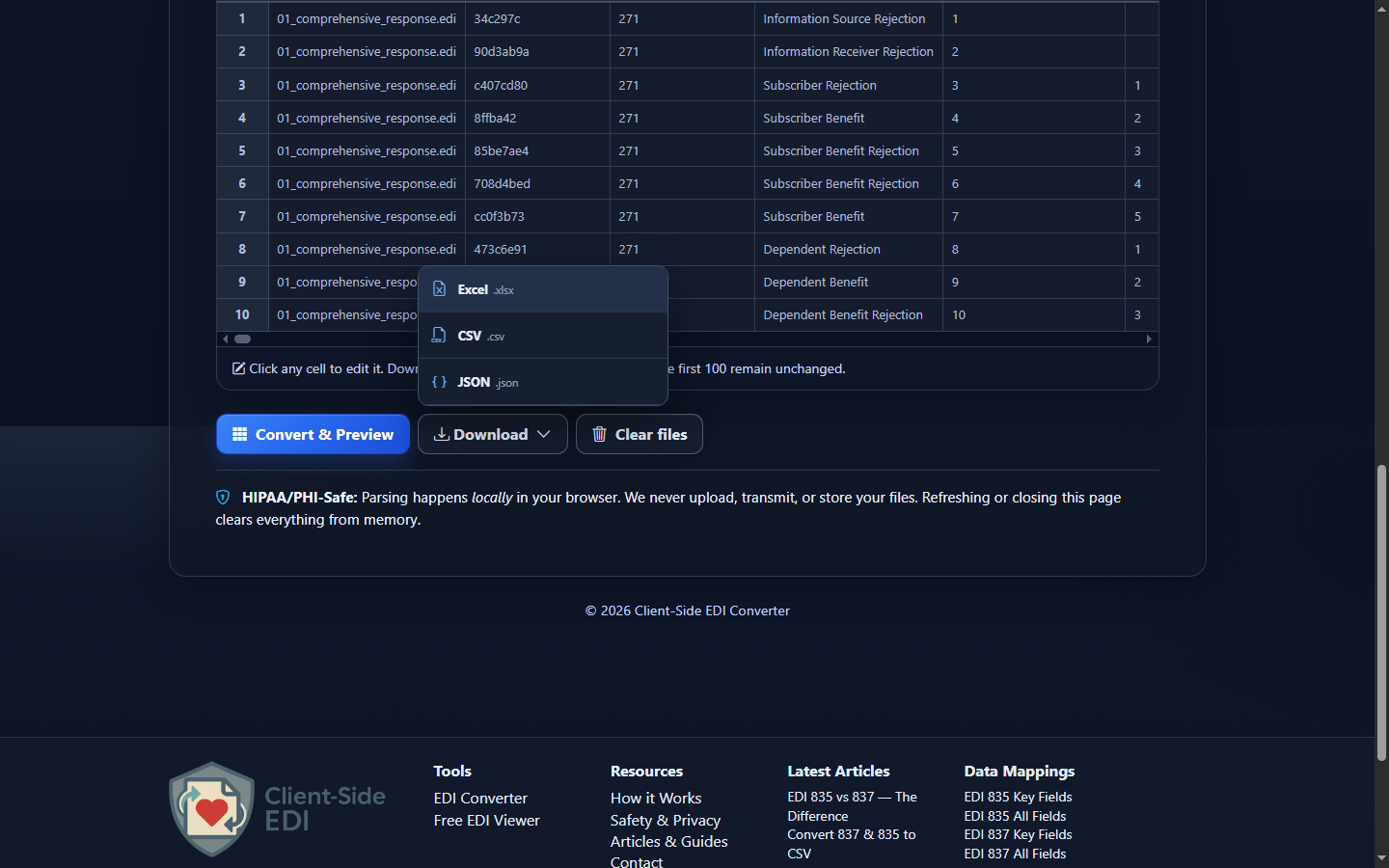
- Download reviewed data. Open Download and choose Excel (.xlsx), CSV (.csv), JSON (.json), or XML (.xml). Converted-data edits flow into the download but do not rewrite the original 271.
Choose CSV, Excel, JSON, or XML
| Format | Best fit | Watch for |
|---|---|---|
| CSV | Database imports, scripts, reconciliation, and one-table analysis. | Import IDs as text; CSV has no native typing. |
| Excel | Operations review, filters, handoff, and 270 comparison. | Excel may infer numbers or dates from IDs and date values. |
| JSON | Application code and field-name/value integrations. | Mapped row JSON is not a lossless X12 hierarchy. |
| XML | Structured row XML for integrations. It serializes the same reviewed Smart Mapping or Raw rows; it is not a native X12 hierarchy, an implementation-guide XML schema, or a lossless X12 round trip. | |
Interpret output in the response hierarchy
The schema repeats patient and trading-partner context because a response detail can sit below an information source, receiver, subscriber, or dependent. Blank benefit columns on an AAA row are expected, just as rejection fields may be blank on an EB row.
Treat each EB or AAA occurrence as a response detail—not automatically as a unique patient, coverage decision, or transaction. Group by file and transaction control number, then patient trace or identifier, response level, service types, dates, plan references, and network context. Active coverage in one EB does not override a separate limitation or date range.
For 270-to-271 comparisons, trace identifiers and requested service types provide useful join context, but the response may expand one inquiry into several benefit details. Do not assume positional row-for-row correspondence.
Common 271 conversion and review mistakes
Counting details as unique patients
What you see: more rows than people. Why: one patient has several EB or AAA details. Review: Record Type, Response Level, trace, member ID, and Response Detail Number. Correction: define patient and detail keys separately.
Treating active coverage as a payment guarantee
What you see: EB01 is interpreted without date, service, plan, or network scope. Review: every EB detail plus DTP, MSG, REF, and related entities. Correction: retain qualifiers and describe only what was returned.
Formatting a percentage incorrectly
What you see: EB08 0.20 displayed as 0.20 percent rather than 20 percent. Review: Benefit Percentage and raw EB. Correction: preserve the source decimal and apply display formatting deliberately.
Losing leading zeroes
What you see: 0000123456 becomes 123456. Why: spreadsheet inference. Correction: import member, trace, policy, plan, group, payer, and control IDs as text.
Separating amounts from EB qualifiers
What you see: a copayment, deductible, or benefit amount assigned to the wrong service. Review: EB01, EB03, EB06, EB07, EB12, and dates together. Correction: keep each EB occurrence intact before grouping.
Ignoring AAA response details
What you see: a file converts but an inquiry-level problem is missed. Review: AAA rows, Valid Request Indicator, Reject Reason, Follow-Up Action, and Response Level. Correction: route them for review without assuming they prove a payer-wide rejection.
Frequently asked questions
What does one row represent?
One EB benefit detail or one AAA rejection detail, with applicable parent context repeated.
Is a 271 proof a service will be covered or paid?
No. Coverage and payment can depend on plan terms, dates, service details, authorization, network status, and later adjudication.
Which implementation is supported?
The mapper recognizes X12 005010X279A1.
Why can one patient produce several rows?
Each EB or AAA detail can have its own service, amount, percentage, date, network, or rejection context.
Can I compare it with a 270?
Yes. Trace, patient, and service-type identifiers help, but expect different row counts.
Does an edit change the original EDI?
No. Data Editor changes affect converted exports, not the source 271.